Edit (2025-07-03): Update post with fixes in patch release 3.6.9-2.
Exactly one month after Gaia Sky 3.6.8, today we are proud to release Gaia Sky 3.6.9. This new version brings some exciting features, like motion trails for star and particle groups, a new Turkish translation, and a new API (v2), and fixes some bugs. Keep reading for the full list of changes included in this release.
Today we release Gaia Sky 3.6.8. It brings a major UI refresh, significant performance improvements, and many new features and bug fixes. Keep reading to know more.
Today we make available a brand new catalog in Gaia Sky, derived from the Gaia Data Release 3 (DR3) dataset. This catalog is a handpicked collection of the most precise stellar measurements available in DR3, designed for applications where accuracy in parallax and astrometric fidelity is essential. This catalog includes a total of 646,400 stars, with a clear bias toward brighter magnitudes. It is a small, non-LOD (non-Level-of-Detail) catalog, designed for broad compatibility. It will be the recommended star dataset starting from Gaia Sky 3.6.8.
It is ideal for:
Laptops
VR
Low-end desktops
Devices without dedicated GPUs in general
Use cases where performance and simplicity matter more than completeness
Hammer projection of the new Gaia DR3 Best catalog.
The upcoming release of Gaia Sky 3.6.8 brings significant performance improvements, focusing on memory optimization and CPU usage reduction. In this post, we’ll take a closer look at these enhancements and how they translate into smoother and faster performance.
We’ve just leveled up bookmarks in Gaia Sky! As of the latest update, location bookmarks are no longer limited to just camera position, orientation, and time. Now, they can also store the full settings file and the focus object — giving you a complete snapshot of your session. Additionally, on creation the user may choose what elements to persist as part of the bookmark.
This means that when you load a bookmark, Gaia Sky can restore not only where you were, but also how things were configured and what object you were focused on. Whether you’re setting up a custom visualization, preparing a presentation, or just exploring the cosmos, your environment can now be fully restored with a single click.
One of the items in our road map has long been the re-implementation of the speed scaling algorithm. This algorithm is a function that, given the current state of Gaia Sky, returns a number by which to scale the camera speed.
So far, we have used a function that only takes into account the distance to the focus object (focus mode), or the distance to the closest object (any other mode). This does not work very well in many situations. In this post, I explore the new developments in Gaia Sky that enable smoother interstellar trips by means of the camera speed scaling.
📢 We are happy to announce the release of Gaia Sky 3.6.7. This release comes with a few minor features and many important bug fixes, especially related to VR and scripting.
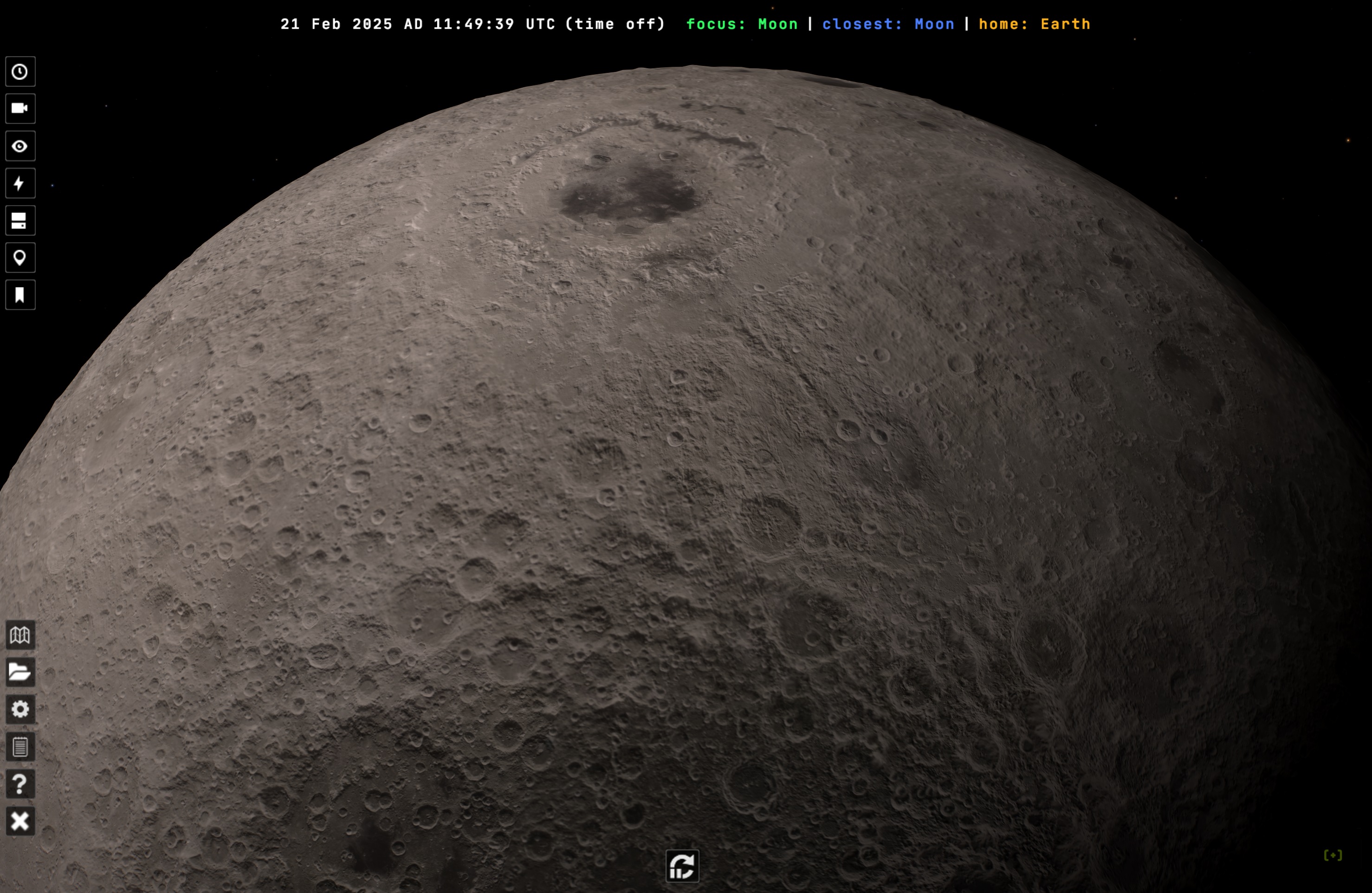
We’d like to announce that we just published a new virtual texture dataset. This dataset is based on NASA’s Scientific Visualization Studio CGI Moon Kit. Constructed from the DEM (Digital Elevation Map) in LRO/LOLA, it contains a 32K virtual texture for the Moon topography (elevation). When you have tessellation activated, this represents elevation in the Moon by vertex displacement and subdivision.
The new 32K topography virtual texture applied to the Moon in Gaia Sky.